


Enhanced Textures for I-War 2

Re: Enhanced Textures for I-War 2
6 years 5 months ago
Advanced Patcom "Pyro" paint job:
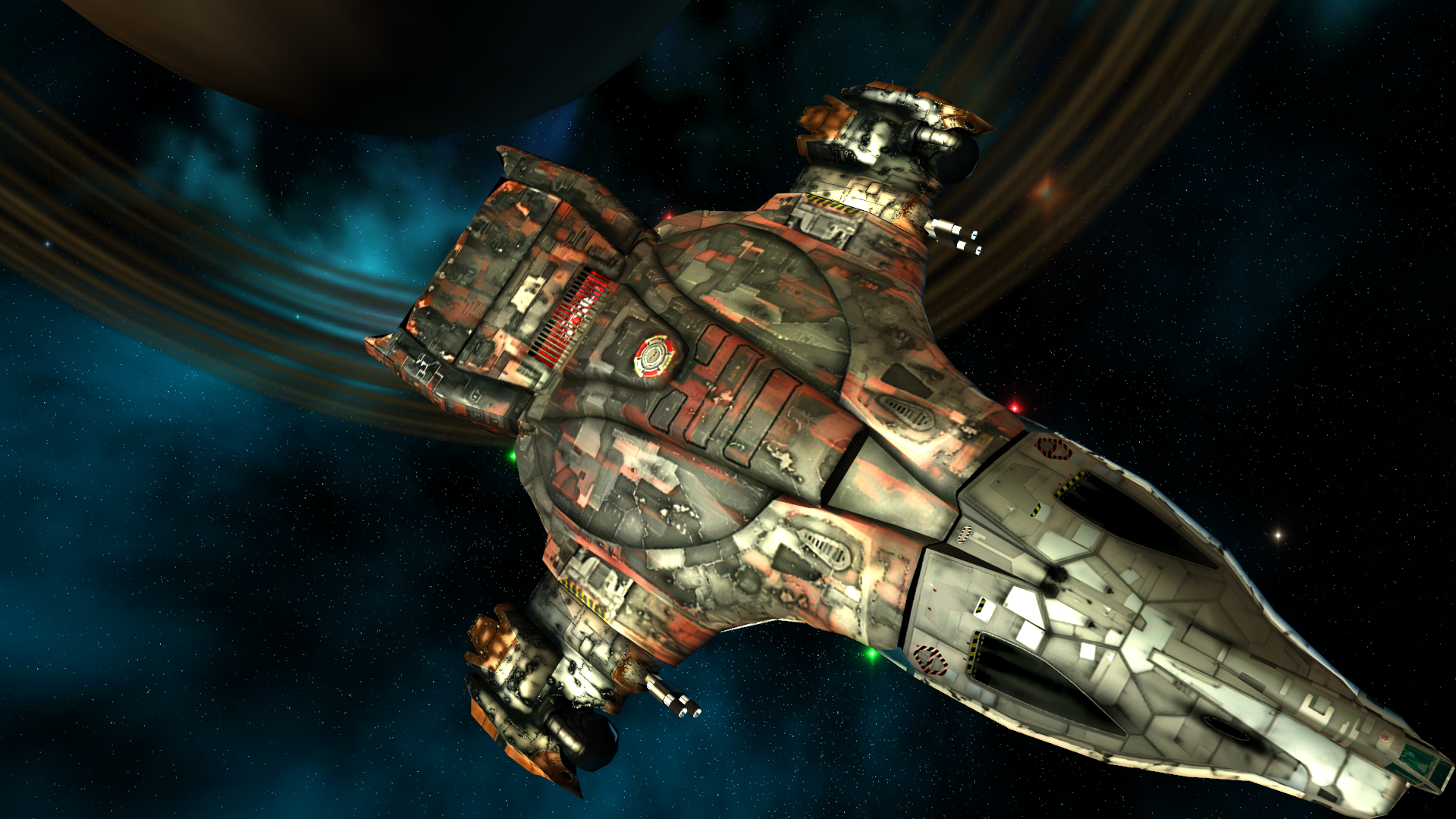
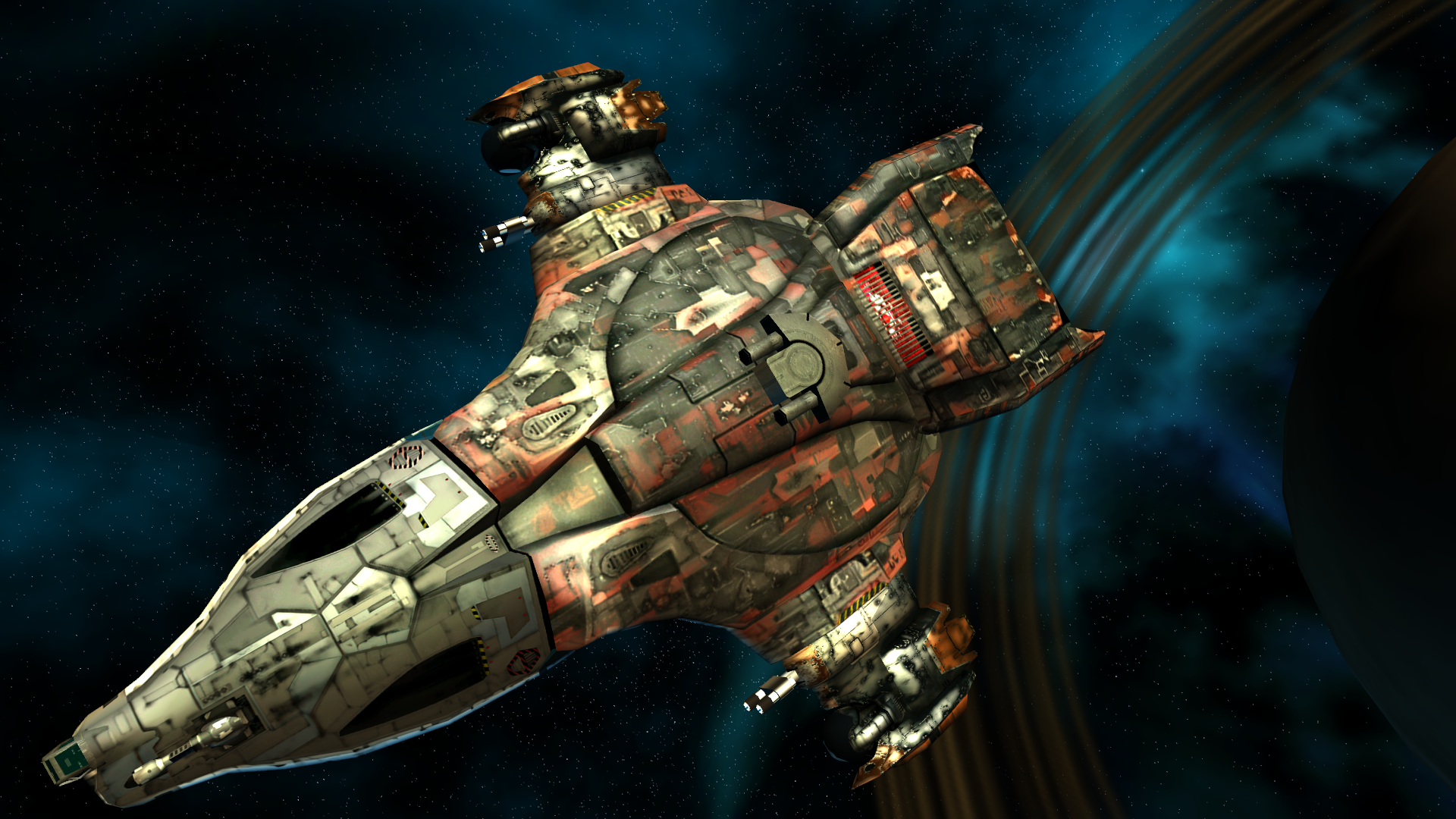
See first post for download link.
See first post for download link.
Please Log in or Create an account to join the conversation.


Re: Enhanced Textures for I-War 2
6 years 5 months ago
That is lovely. Can't have been easy to catch that while the navlights were blinking
Very little about the game is not known to me. Any questions you got, throw them at me. 
Please Log in or Create an account to join the conversation.
Re: Enhanced Textures for I-War 2
6 years 5 months ago
Well, that was the easiest part. :lol:
Please Log in or Create an account to join the conversation.


Re: Enhanced Textures for I-War 2
6 years 5 months ago
These textures look really good, Lard! Awesome job.
I've worked with waifu2x before, but I didn't know it can produce results like these.
I've uploaded all your mods into an extra section here:
i-war2.com/downloads/category/59-lards-texture-mods
I've worked with waifu2x before, but I didn't know it can produce results like these.
I've uploaded all your mods into an extra section here:
i-war2.com/downloads/category/59-lards-texture-mods
Space. The final frontier.
Please Log in or Create an account to join the conversation.


Re: Enhanced Textures for I-War 2
6 years 5 months ago
Hi Lard.
Great job on the mod, but I'm having trouble with getting the hi-rez textures to show up.
You advise to change flux.ini like so;
[FcDetailSwitchNode]
global_detail_scale = 3
cull_detail = 0
box_detail = 0
and I have done this, but the game keeps reverting those settings to;
[FcDetailSwitchNode]
global_detail_scale = 0.7
cull_detail = 0.002
box_detail = 0.004
I've even tried keeping the first decimal place like using 3.0 instead of 3 and 0.0 instead of 0 in case the engine was funny about that, but nope it keeps reverting.
If I remember right the game will revert any settings in flux.ini to defaults if the values are out of range. Could this be a typo?
Just for more info, I'm on Win7 64bit, Ryzen 7 1700X, Geforce GTX 1060 6GB and 32GB Ram. It's the steam version, although I do have the CD version somewhere in the house but I hope steam is fine, don't really want to hunt down the CD version
Also as far as I know no other mods do anything to that part of flux.ini
Thanks for any help you can provide.
Great job on the mod, but I'm having trouble with getting the hi-rez textures to show up.
You advise to change flux.ini like so;
[FcDetailSwitchNode]
global_detail_scale = 3
cull_detail = 0
box_detail = 0
and I have done this, but the game keeps reverting those settings to;
[FcDetailSwitchNode]
global_detail_scale = 0.7
cull_detail = 0.002
box_detail = 0.004
I've even tried keeping the first decimal place like using 3.0 instead of 3 and 0.0 instead of 0 in case the engine was funny about that, but nope it keeps reverting.
If I remember right the game will revert any settings in flux.ini to defaults if the values are out of range. Could this be a typo?
Just for more info, I'm on Win7 64bit, Ryzen 7 1700X, Geforce GTX 1060 6GB and 32GB Ram. It's the steam version, although I do have the CD version somewhere in the house but I hope steam is fine, don't really want to hunt down the CD version
Also as far as I know no other mods do anything to that part of flux.ini
Thanks for any help you can provide.
Please Log in or Create an account to join the conversation.
Re: Enhanced Textures for I-War 2
6 years 5 months ago - 6 years 5 months ago
It's not a typo.
The game keeps my settings in the flux.ini, it can change it sometimes, but not because of my values.
You can try to write protect the flux.ini, if you are sure your settings are ok.
Another solution is to copy for all textures the LOD1.PSO and LOD2.PSO files in the respective folder with the enhanced textures and delete the data inside to have emty files.
This should prevent the game loading the mid- and lowres textures.
The LOD0.PSO files are loading the highres textures.
But this is lot of work, and the names of the LOD1.PSO and LOD2.PSO files are different.
I did something like this to prevent loading the cockpit textures, but it should work for all textures.
Or you can end up with no textures, I'm not sure.
The game keeps my settings in the flux.ini, it can change it sometimes, but not because of my values.
You can try to write protect the flux.ini, if you are sure your settings are ok.
Another solution is to copy for all textures the LOD1.PSO and LOD2.PSO files in the respective folder with the enhanced textures and delete the data inside to have emty files.
This should prevent the game loading the mid- and lowres textures.
The LOD0.PSO files are loading the highres textures.
But this is lot of work, and the names of the LOD1.PSO and LOD2.PSO files are different.
I did something like this to prevent loading the cockpit textures, but it should work for all textures.
Or you can end up with no textures, I'm not sure.
Please Log in or Create an account to join the conversation.